
DIGITUSAuthorised distributor
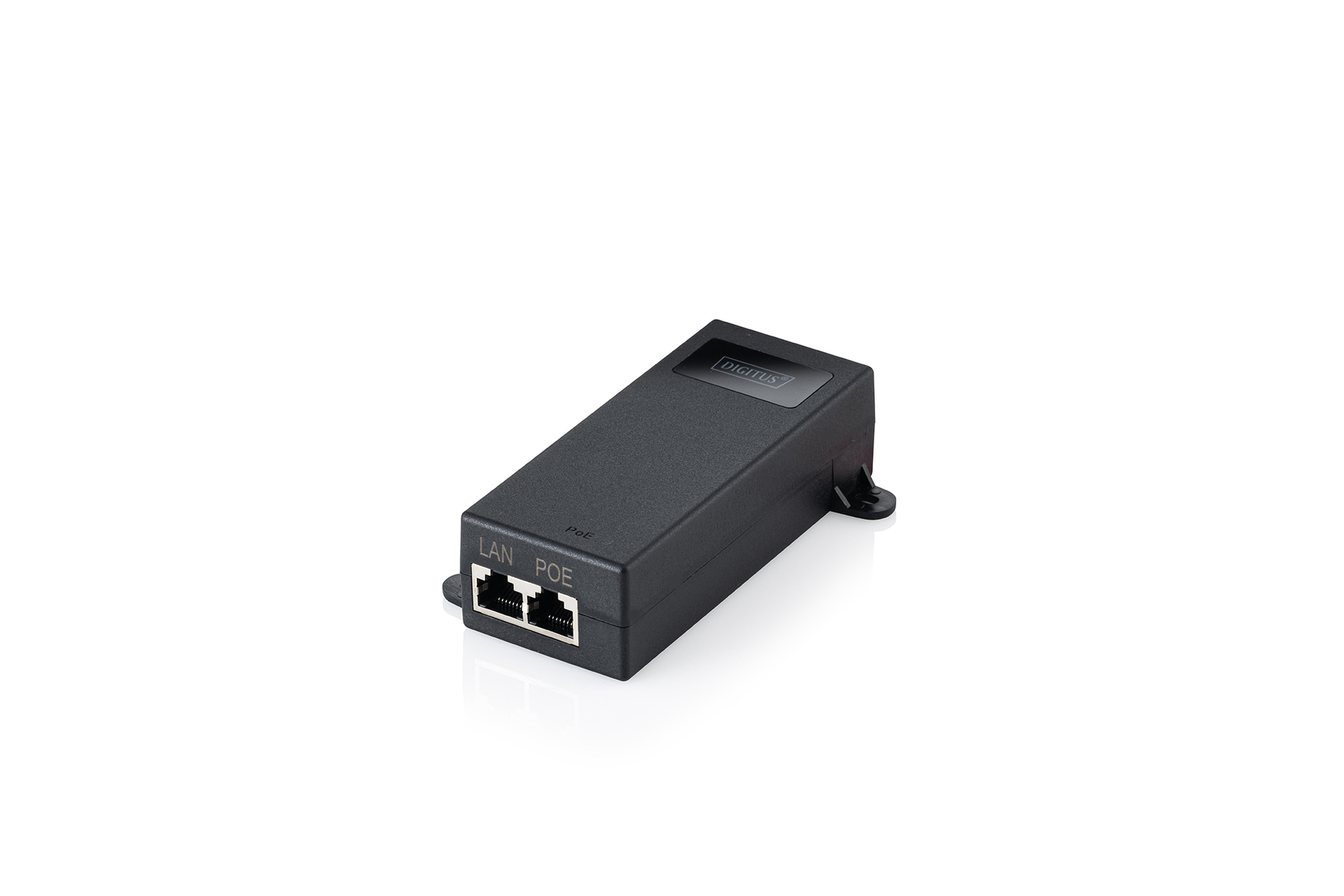
Digitus Gigabit Ethernet PoE Injector, 802.3af
SKU: DN-95102-2·EAN: 4016032505778
Key specs
All specifications- SKU
- DN-95102-2
- EAN
- 4016032505778
Description
- With the Digitus Gigabit PoE injector, you can expand your network with a reliable power supply via your existing Ethernet cable. The injector transmits both network data and electrical power to a compatible device, making it ideal for locations where no separate power outlet is available. It supports Powered Devices compliant with IEEE 802.3af, such as access points, IP cameras, IP phones, or compatible PoE receiver adapters. A Gigabit LAN input connects the injector to your network or switch. Data and a maximum PoE power of 15.4 W are transmitted to the connected device via the combined Gigabit PoE output. The PoE power is supplied via wire pairs 4/5 for positive and 7/8 for negative. A green LED indicates whether the injector is supplying power to the connected device. Depending on the network standard, suitable cables in categories Cat 3 through Cat 6 can be used. The maximum specified connection distance is 100 meters. This allows the injector to be used flexibly in existing Fast Ethernet and Gigabit Ethernet installations. The integrated power supply supports input voltages from 100 to 240 V AC at 50/60 Hz. As a result, a separate plug-in power supply is not required. For installation, the compact housing can be placed on a work surface or mounted on a wall using the built-in mounting points. The specified operating temperature range is between 0 and 40 °C. In addition, protection ratings against overvoltage and electrostatic discharge are specified. The package includes the PoE injector, a user manual, and a power cable. Package content:
- PoE injector
- Instructions
- Power cord Safety notes:
- This product is intended for indoor use only.
- Read all instructions and follow all warnings and instructions on the device.
- Do not place this appliance on an unstable surface (such as a trolley, stand, table, etc.).
- Do not use this appliance near water.
- Do not place this appliance near or above a radiator.
- The housing is equipped with openings for heat dissipation and ventilation. To prevent overheating during operation, the ventilation openings must not be blocked or covered.
- Do not place the appliance on a soft surface (e.g. bed, sofa, blanket, etc.). This will block the ventilation.
- The appliance must not be installed in a closed environment if adequate ventilation is not guaranteed.
- Do not spray any liquids onto the appliance.
- Disconnect the mains plug before cleaning. Do not use any liquid or foam cleaners.
- Clean the appliance with a damp cloth.
- Connect the device according to the power supply on the rating plate.
- To prevent damage to the appliance, it is important that all appliances are properly earthed.
- Do not place any objects on the power cable and lay it in such a way as to avoid tripping hazards.
- Use a surge protector, a regulator or an uninterruptible power supply (UPS) to protect your system from sudden, temporary and reduced power.
- Secure the system cable and mains cable properly and ensure that no objects are pressing on the cable.
- Do not insert any objects into the appliance through the openings in the housing. There is a risk of a short circuit, which can lead to fire or electric shock.
- Do not attempt to repair the appliance yourself. Always contact an authorized customer service centre.
- If any of the following conditions occur, unplug the appliance and return it to an authorized service centre for repair
- The mains cable, power supply unit or plug for the power supply is damaged or worn;
- Liquid has penetrated the appliance;
- The device has been exposed to rain or water;
- The device has been dropped or the housing has been damaged;
- The function of the device has obviously changed;
- The appliance cannot be operated as described in the operating instructions.
Specifications
1 technical details
- Consumer legal guarantee
- EU consumer purchases of new goods include a minimum two-year legal guarantee against the seller, separate from commercial coverage. Business purchases follow their applicable terms.