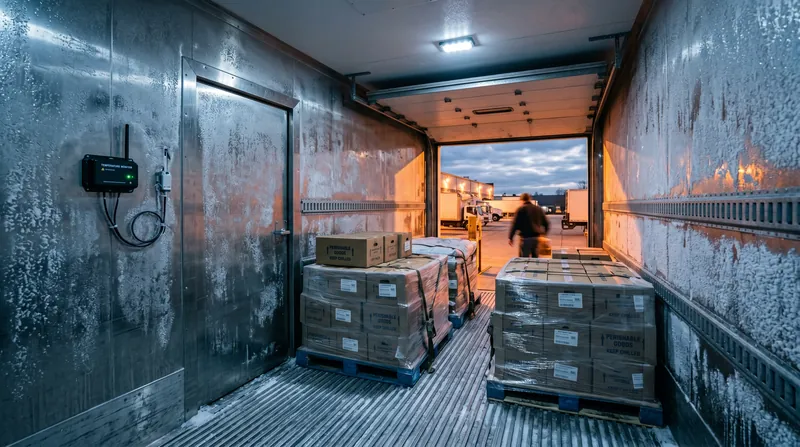
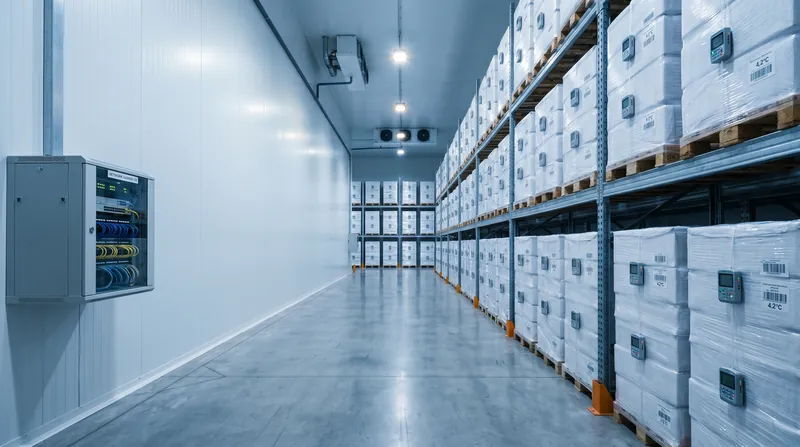
Warehouse Wi-Fi that follows the pick route
Build reliable scanner and mobile-terminal coverage around racks, changing stock levels and the actual routes used by warehouse staff.

Validate roaming on real scanners
Survey loaded racks and working routes
Separate operations from visitors
How the solution connects
Independent uplinks meet a controlled network boundary. Local access is separated by purpose.
Read the connection map
- Warehouse application path → Existing security boundary · Primary path
- Protected admin access → Existing security boundary · Primary path
- Existing security boundary → MS130-48P PoE · Policy boundary
- MS130-48P PoE → Rack-aisle scanners · Separate zone
- MS130-48P PoE → Packing + dispatch · Separate zone
- MS130-48P PoE → Office and visitors · Separate zone
The challenge on the ground
Warehouse connectivity fails at the point of work: a picker turns into an aisle, a scanner roams late or a forklift terminal loses its transaction. Rack height and stock composition can change the RF environment significantly.
A fast access point cannot compensate for a placement pattern that ignores the aisles.
Inside the design
Use MS130-48P access switching and CW9176I indoor APs for a surveyed pilot zone. The CW9176I has integrated antennas; it is not an external directional-antenna platform.
If aisle geometry requires a directional design, specify an appropriate antenna/AP combination separately. Map scanner, voice, automation and office access to distinct policies and keep the WMS path short and observable.
Operating it day to day
Test the oldest supported scanner firmware and radio, with power-saving and roaming settings matching production. Survey with representative stock on the racks, at scanner height and along forklift routes.
Record retry rates, roaming interruption and transaction completion rather than relying only on signal strength. Keep AP mounting accessible for maintenance and protect cable routes from material-handling equipment.
What to test before handover
- Complete repeated pick/confirm transactions through the full pilot route.
- Cross AP boundaries with the actual handheld and forklift terminal.
- Repeat checks with representative rack loading.
- Confirm a failed AP creates an observable alarm and document the affected work area.
Technical references
The bill of materials
Pilot warehouse zone with two rack aisles, a packing area and an office; expand only after device-level testing. Quantities below describe the example; your proposal confirms the final equipment and services.
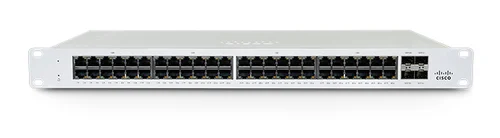
Cisco Meraki MS130-48P Cloud Managed 48-Port PoE Switch
MS130-48PPilot-zone PoE access
View product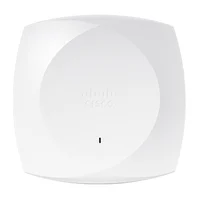
Cisco CW9176I indoor access point
CW9176I-CFGIndoor RF pilot
Illustrative quantity; integrated antennas, not a directional aisle antenna kit.
View productComplete the installation
The equipment above is one part of the project. Include these items in the final scope.
- Existing or newly sized firewall
- Directional APs/antennas if the survey requires them
- Licences, uplinks and protected mounting
- Scanner firmware validation and commissioning survey
Questions before you specify
Should we install the strongest possible APs?
Placement, channel reuse and scanner behaviour matter more than maximum transmit power. High power can worsen roaming when the client cannot return the signal at the same level.
Let’s design it for your site.
Send us the details below. We can turn the reference architecture into a scoped design, equipment schedule and quotation.
Start your projectBring these to the first conversation
- 01Rack layout, heights and stock types
- 02Scanner and terminal models/firmware
- 03WMS endpoints and roaming requirements
- 04Forklift routes and mounting restrictions