The core architectural difference
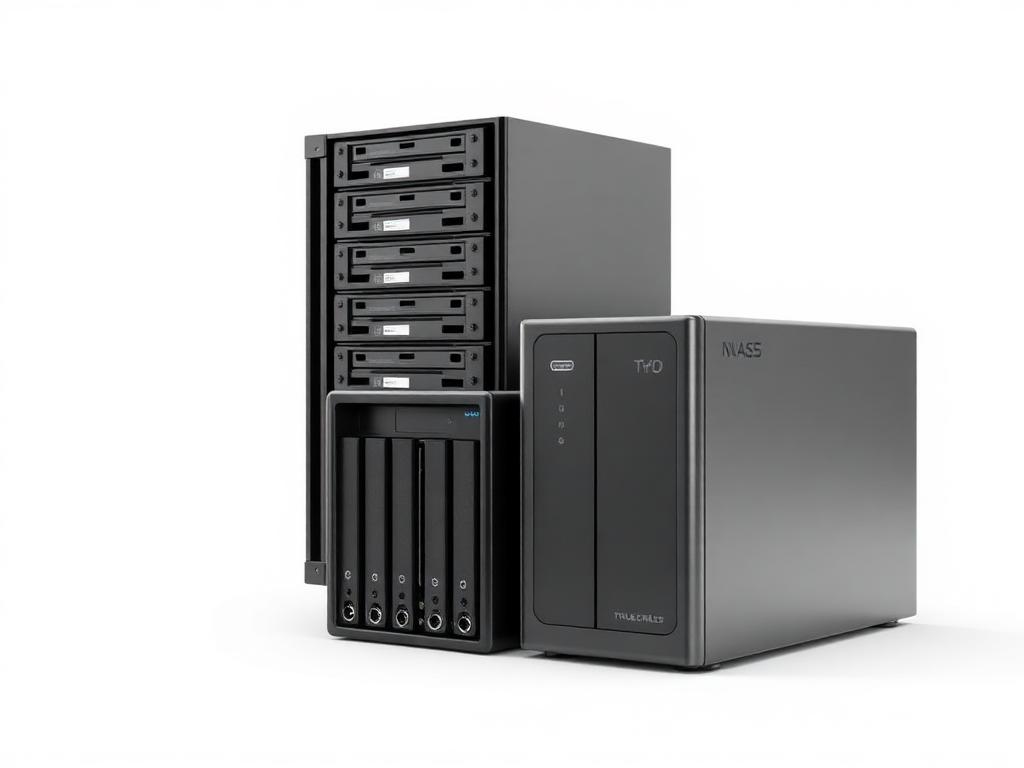
NAS operates at the file level: it presents shared folders over the network using standard protocols (SMB/CIFS for Windows-style file shares, NFS for Unix/Linux), and any device on the network can mount and use them directly, much like a local drive. SAN operates at the block level: it presents raw storage volumes (LUNs) to specific servers, which then format and manage those volumes as if they were local disks. This distinction is why SAN is the standard architecture behind virtualization clusters — multiple hypervisor hosts need shared, low-latency block storage to support live VM migration between hosts, which file-level NAS access doesn't cleanly support at scale.
Why SAN gets over-specified for SMB
SAN carries an "enterprise-grade" reputation that makes it feel like the more serious, correct choice — but that reputation is earned in the context of large virtualization clusters and high-transaction database workloads, not general SMB file storage. A 10-person office running a file server, a backup target, and maybe one or two lightly-used VMs almost never needs SAN's shared block storage architecture; a well-specified NAS handles all three workloads at a fraction of the cost and without dedicated storage-networking expertise on staff.
When SAN is genuinely the right call
SAN earns its complexity when you're running a real multi-host virtualization cluster (VMware vSphere with vMotion, Hyper-V with live migration) and need every host to see the same shared storage for VMs to move between hosts without downtime. It's also the right call for high-IOPS database workloads that need consistent low-latency block access beyond what a NAS's file-serving layer can efficiently deliver. If neither of those describes your environment, the SAN premium is buying capability you won't use.
Modern NAS closes much of the gap
Higher-end NAS devices from Synology, QNAP, and TrueNAS now support iSCSI target mode, effectively letting them serve block storage to a small number of hosts — a reasonable middle ground for a 2-3 host virtualization setup that wants some of SAN's benefits without the full dedicated SAN network and switching cost. This isn't a full SAN replacement at scale, but it covers a meaningful slice of SMB workloads that would previously have been told they "need" a SAN.
Buying on FUSE
FUSE stocks NAS and SAN hardware from Synology, QNAP, Dell, and HPE across EU warehouses in Malta, Poland, the Netherlands, and Germany, with trade pricing for resellers and integrators.
Frequently asked questions
Can a NAS replace a SAN for virtualization?
For a small number of hosts (2–3) with light-to-moderate VM workloads, a higher-end NAS with iSCSI target support can serve as a reasonable substitute. For larger virtualization clusters with heavy I/O demands or many hosts, a dedicated SAN's architecture and performance headroom become genuinely necessary.
Is SAN always faster than NAS?
Not necessarily — a well-specified NAS with SSD caching or all-flash storage on a 10G network can outperform an under-specified SAN. SAN's performance advantage comes from its dedicated block-level architecture and typically dedicated networking (Fibre Channel or dedicated iSCSI), not from being inherently faster hardware.
Do I need dedicated networking for a SAN?
For Fibre Channel SANs, yes — dedicated FC switching and HBAs are required. For iSCSI-based SANs, you can run over standard Ethernet, but best practice is a dedicated storage VLAN or physically separate network to avoid latency spikes from general network traffic competing with storage I/O.
What's the typical cost difference between NAS and SAN for a small business?
A capable SMB NAS deployment typically runs €500–€3,000 depending on capacity and redundancy. An entry-level SAN deployment, including dedicated switching, typically starts around €8,000–€25,000 — a substantial gap that should be justified by an actual multi-host virtualization or high-IOPS requirement, not just perceived prestige.
Can I start with NAS and migrate to SAN later?
Yes — many businesses start with NAS for file sharing and backup, then add a SAN specifically for virtualization once cluster requirements justify it. The two aren't mutually exclusive; a common mature SMB setup runs both, using NAS for file services/backup and SAN for the virtualization cluster.
Where can I buy NAS or SAN hardware in the EU?
FUSE stocks NAS and SAN hardware from Synology, QNAP, Dell, and HPE across EU warehouses in Malta, Poland, the Netherlands, and Germany, with trade pricing for resellers and integrators.
Buy nas & storage servers equipment on FUSE
Multi-warehouse EU stock from Malta, Poland, Netherlands, and Germany — with EU-resident technical support and trade pricing for resellers, integrators, and MSPs.
Shop the category
Live pricing and stock for the hardware compared above.
Buy the hardware in this article
Live FUSE pricing and stock for the hardware compared above.
ROLINE
ROLINE 19-inch server rack Pro 42 U, 800x1000 WxD black
26.21.0158€1,313.72 Lanberg
Lanberg FF01-6624-12BL rack cabinet 24U Freestanding rack Black
FF01-6624-12BL€387.11 Unknown
Extralink 12U 600x600 wall-mounted rack cabinet, black
EX.7256€107.63 Lanberg
Lanberg FF01-6624-23BL rack cabinet 24U Freestanding rack Black
FF01-6624-23BL€406.31 EFB Elektronik
EFB Elektronik 691712VTS.60 rack cabinet 12U Wall mounted rack Black
691712VTS.60€227.22 Lanberg
Lanberg FF01-6032-23BL rack cabinet 32U Freestanding rack Black
FF01-6032-23BL€534.28