
Managed, smart, or unmanaged?
Unmanaged switches are appropriate for two scenarios: a static, low-traffic edge (a single printer cluster) or as a literal stop-gap on a refit timeline. Everything else needs a managed switch — at minimum to support VLANs, link aggregation, IGMP snooping, and remote troubleshooting. Smart/web-managed switches sit in between: most VLAN/QoS features but no full CLI, often no L3 routing, and rarely a real stacking implementation. They are fine for SMB branch closets but limiting at the campus core.
Buy fully managed switches anywhere you need PoE budgeting, 802.1X authentication, RSTP convergence under a second, or L3 inter-VLAN routing.
PoE budgets: where buyers go wrong
The single most common switch mis-spec is undersized PoE budget. Datasheets quote per-port PoE budget AND total switch PoE budget — those are different numbers. A 24-port PoE+ switch rated 30W/port doesn't have 720W of total budget; the typical figure is 370–450W shared across ports. The moment you light up 16 Wi-Fi 6E APs pulling 25W each plus four IP cameras at 8W, you're over budget and the switch starts shedding power.
Sizing rule: sum the peak power of every PoE device, add 30% headroom, choose a switch whose total PoE budget exceeds it. For Wi-Fi 6E and Wi-Fi 7 APs (which can pull 30W+ on 6 GHz), prefer 802.3bt (PoE++, 60–90W per port) switches with 720W+ total budget.
- 802.3af (PoE) — 15.4W per port. Adequate for older VoIP phones and some 2.4 GHz APs
- 802.3at (PoE+) — 30W per port. Baseline for IP cameras and Wi-Fi 5/6 APs
- 802.3bt (PoE++) Type 3 — 60W per port. Required for Wi-Fi 6E/7, multi-radio APs, IP cameras with heaters/wipers
- 802.3bt Type 4 — 90W per port. Specialty: thin clients, point-of-sale, digital signage
Multi-gig access: 1 Gbps is no longer enough
A Wi-Fi 7 AP on 6 GHz with 320 MHz channels can theoretically push 30 Gbps PHY rate and routinely delivers 4–6 Gbps real-world throughput. Plugging it into a 1 Gbps switch port wastes the radio. Multi-gig access switches with 2.5/5/10 GbE ports are now the default for new builds and high-density refits.
Specify Cat6A cabling on new pulls — Cat6 will hit multi-gig over short runs but degrades on the 90m+ horizontal runs typical of larger buildings. If you're keeping legacy Cat5e cabling, 2.5GBASE-T usually works on most of it, 5GBASE-T sometimes, 10GBASE-T rarely.
Stacking and core uplinks
For anything above a single closet, two stacked switches in a redundant pair is now the entry-level core design. Stacking technologies have proliferated — Cisco StackWise, Aruba VSF, Meraki Switch Stack, UniFi Stack — and they all give you a single management plane plus port-channeling across physical chassis. Order the stacking cables (or DAC modules) with the switches; they are almost never included.
Uplinks: 10 GbE is the minimum for a single-stack core. 25 GbE is now common at the campus aggregation tier and the price gap to 10 GbE has narrowed. 100 GbE is reserved for data-centre cores. Get SFP+/SFP28 modules at order time — vendor-locked optics are often cheaper than expected in volume.
Brand head-to-head
Cisco Catalyst 9000 / Meraki MS
The Catalyst 9300 and Meraki MS425/MS390 are the EU mid-enterprise gold standard. Unified Catalyst+Meraki Cloud Manager now lets you operate Catalyst hardware from the Meraki dashboard. Best-in-class IOS-XE feature set, strongest security ecosystem (TrustSec, MACsec), highest licensing cost.
Sweet spot: Enterprise headquarters, multi-site chains where standardisation matters, regulated industries.
HPE Aruba CX
Aruba CX 6100/6300/6400 series is the most competitive challenger to Cisco at the campus core. NetEdit + Aruba Central give a clean management plane. AOS-CX is a modern OS with REST API and Python on-box scripting. Foundation Care warranty is excellent.
Sweet spot: Enterprises wanting Cisco-class capability at meaningfully lower licensing cost.
Cisco Meraki MS-only
Cloud-managed-only. Excellent for multi-site SMB and MSP-managed customers. Single dashboard view of switches + APs + firewalls + cameras. Premium licensing model — and license expiry effectively bricks the switch.
Sweet spot: 5–50 site retail/hospitality/branch deployments.
Ubiquiti UniFi
UniFi Pro, Enterprise, and Enterprise XG series have matured into serious managed switches. L3 routing, multi-gig, 802.3bt, and stacking are all in the line-up now. The free controller (self-hosted or UniFi Cloud) is the most generous deal in networking. Limitations remain in advanced multicast (IGMP snooping on Pro line is uneven), 802.1X workflow polish, and vendor support depth.
Sweet spot: SMB, hospitality below 4-star, owner-operated yachts, retail.
Ruckus ICX
Underrated. Ruckus ICX 7150/7250/7550 are extremely competitive on price-per-port at the access tier, with proper stacking up to 12 units and full L3 routing on every model. The CLI is a quirky descendant of Brocade. Lifetime warranty on most SKUs.
Sweet spot: Education, large hospitality, convention centres pairing with Ruckus APs.
MikroTik CRS / CCR
MikroTik switches occupy a unique niche: incredible price-per-port and 100 GbE at sub-€1000 SKUs, but with RouterOS as the only OS. RouterOS is enormously capable and equally idiosyncratic. Use for budget cores, lab environments, and engineers who want to do MPLS or BGP at SMB scale.
Sweet spot: Budget-constrained ISPs, advanced home labs, technical operators.
Where to buy in the EU
Switch procurement in 2026 is dominated by lead-time problems: vendor-direct backorders frequently slip 4–8 weeks. Multi-warehouse EU stock matters more than the unit price when a project deadline is fixed.
FUSE stocks Cisco Catalyst, Cisco Meraki MS, Aruba CX, Ubiquiti UniFi, Ruckus ICX, MikroTik, and the supporting optics, stacking cables, and PoE injectors across EU warehouses in Malta, Poland, Netherlands, and Germany — with real-time multi-warehouse stock visibility.
Frequently asked questions
How much PoE budget do I need for 16 Wi-Fi 6E APs?
+
Plan for 480–600W of PoE budget for 16 Wi-Fi 6E or Wi-Fi 7 APs (30W peak each plus 30% headroom). Specify an 802.3bt (PoE++) switch with at least 720W total budget — for example a 24-port multi-gig PoE++ switch from Cisco Catalyst 9300, Aruba CX 6300, Meraki MS390, UniFi Enterprise, or Ruckus ICX 7550.
Do I need multi-gig switching?
+
Yes if you are deploying Wi-Fi 6E or Wi-Fi 7 access points. A Wi-Fi 7 AP can deliver 4–6 Gbps real-world throughput on the 6 GHz band and will be bottlenecked by a 1 GbE port. Spec 2.5/5/10 GbE multi-gig access ports for any new build or refit.
Aruba CX vs Cisco Catalyst — which should I choose?
+
Aruba CX 6300 delivers roughly Cisco Catalyst 9300 capability at meaningfully lower licensing cost, with a cleaner modern OS (AOS-CX) and good REST API support. Cisco Catalyst wins on the depth of the IOS-XE feature set, the security ecosystem (TrustSec, MACsec), and chain-standardisation. For greenfield deployments where vendor lock-in is not a constraint, Aruba CX is increasingly the better deal.
Is Ubiquiti UniFi enterprise-grade?
+
The UniFi Enterprise XG and Pro Max lines are now genuinely enterprise-capable — L3 routing, 802.3bt PoE++, multi-gig, stacking, decent IGMP snooping. The remaining gaps are 802.1X workflow polish, advanced multicast routing on the Pro line, and vendor support SLAs. For SMB, hospitality up to 3-star, and owner-operated environments, UniFi delivers excellent value. For regulated industries or 4-star+ hospitality, stick with Cisco/Aruba/Meraki.
Do I need stacking for a 50-user office?
+
A single managed switch is usually sufficient for a 50-user single-floor office. Stacking becomes important when you have multiple closets that need a single management plane, when you want LACP/MLAG across physical chassis for switch-level redundancy, or when you're aggregating multiple access switches into a redundant core.
What SFP+ modules should I buy?
+
Generic SFP+ modules with the correct vendor coding (Cisco-coded, Aruba-coded, Meraki-coded, etc.) are usually meaningfully cheaper than vendor-direct optics and work identically in production. The exception is platforms that enforce strict optic-ID checks — verify the platform supports third-party optics before ordering. For 10G LR over single-mode fibre, expect roughly 100–200 euros per module from a reputable EU stockist.
Where do I buy network switches in the EU?
+
FUSE stocks Cisco Catalyst, Cisco Meraki MS, Aruba CX, Ubiquiti UniFi, Ruckus ICX, MikroTik, plus optics, DAC cables, and PoE injectors across EU warehouses in Malta, Poland, Netherlands, and Germany — with real-time multi-warehouse stock visibility and EU-resident technical support.
Browse Cisco Network Switches on FUSE
Multi-warehouse EU stock from Malta, Poland, Netherlands, and Germany — with EU-resident technical support and ETSI-compliant regulatory-domain hardware.
Primary sources
Technical and regulatory claims in this guide are checked against these first-party references. Product availability and regional variants should still be confirmed before ordering.
Shop the category
Live pricing and stock for the hardware covered in this guide.
Buy the hardware in this article
Live FUSE pricing and stock for the hardware covered in this guide.
 Cisco
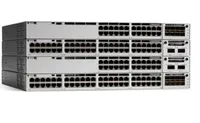
CiscoCisco Catalyst C9300-48P-E network switch Managed L2/L3 Gigabit Ethernet (10/100/1000) Power over Ethernet (PoE) Grey
C9300-48P-E€7,914.75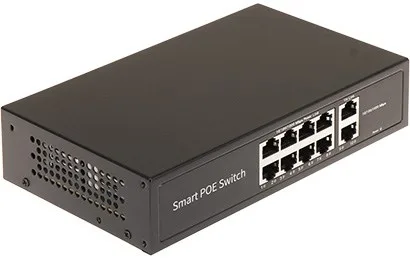 Unknown
Switch POE 8-Port GTX-C1-10-8G2G/X
GTX-C1-10-8G2G/X€48.62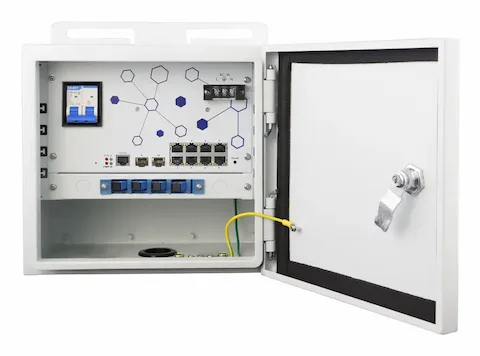 LevelOne
LevelOne OSW-1061 network switch Managed L2 2.5G Ethernet (100/1000/2500) Power over Ethernet (PoE) Black
OSW-1061€720.66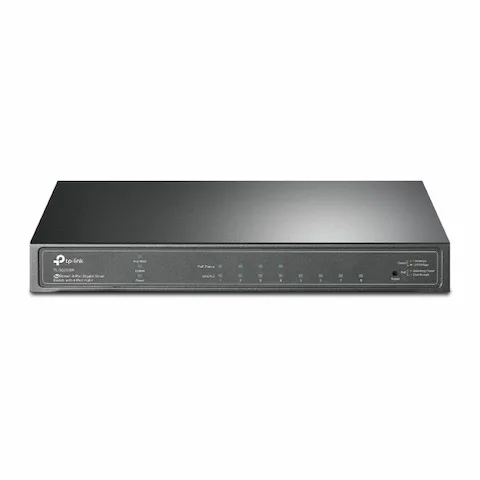 Unknown
TP-Link JetStream 8-Port Gigabit Smart Switch with 4-Port PoE+
1662306€127.50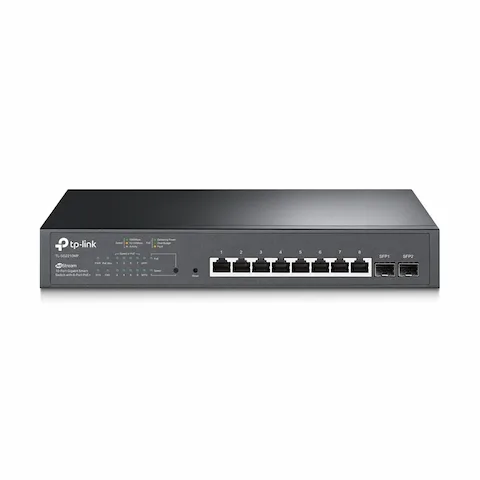 Unknown
TP-Link JetStream 10-Port Gigabit Smart PoE Switch with 8-Port PoE+
1662304€220.44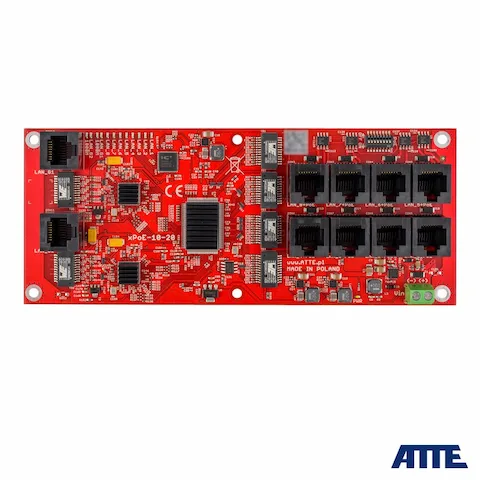 Atte
AttexPoE-10-20A-OF 10-PORT POE SWITCH ATTE
21317€175.88