
Wi-Fi 6E vs Wi-Fi 7 — what actually changed
Wi-Fi 6E (introduced 2021) added the 6 GHz band to the 802.11ax standard, giving roughly 1.2 GHz of fresh spectrum and seven non-overlapping 160 MHz channels in regions where it is licensed. Wi-Fi 7 (802.11be, ratified 2024) adds 320 MHz channels, 4096-QAM modulation, Multi-Link Operation (MLO — a client transmits across two bands simultaneously), and various MAC-layer improvements that meaningfully reduce latency.
In real deployments, Wi-Fi 7 delivers 30–50% higher single-client throughput than Wi-Fi 6E and roughly halves median latency under load. For new builds in 2026, spec Wi-Fi 7 — the price premium over Wi-Fi 6E APs has compressed to 15–25% and the device fleet is catching up fast (every iPhone since 16 Pro, every flagship Android since early 2024, the latest MacBook Pros).
AP density: how many do you actually need?
Density planning by space type:
- Office (open plan): 1 AP per 150–200 sqm (≈40 desks)
- Office (private offices): 1 AP per 100–120 sqm
- Retail: 1 AP per 100–150 sqm, plus dedicated APs in fitting rooms
- Education (classrooms): 1 AP per classroom for primary, 1 AP per 30 students for secondary/university
- Conference / event space: 1 AP per 50 attendees minimum, ceiling-mounted with directional antennas
- Hotel guest rooms: 1 AP per 2 rooms
- Warehouses: depends entirely on rack layout — survey is mandatory
Always do a predictive survey
Tools: Ekahau Pro, Hamina, iBwave Wi-Fi, NetSpot. A 200-sqm office can usually be planned with NetSpot for a few hundred euros; a 30,000-sqm warehouse needs Ekahau or Hamina with an actual on-site walkthrough. Predictive surveys catch the unfortunate column placement, the steel-clad meeting pod, and the kitchen with the microwave at 2.4 GHz before the cabling is pulled — costing nothing compared to the cost of moving an AP after install.
Channel planning: 6 GHz changes everything
2.4 GHz: dead. Three usable 20 MHz channels (1, 6, 11) shared with the entire neighbourhood. Reserve it for IoT devices and legacy clients; do not advertise modern SSIDs on 2.4 GHz.
5 GHz: usable, congested. In dense urban environments the band is full of neighbouring APs. Stick to 80 MHz channels — 160 MHz channels routinely collide with DFS radar in EU regulatory domains.
6 GHz: the new home for performance. Plan 160 MHz channels for greenfield deployments where you control the spectrum, 80 MHz where you share with neighbouring tenants. Note that EU regulation currently authorises the lower 6 GHz band (5945–6425 MHz) but not the upper band (6425–7125 MHz) that is available in the US — fewer total channels than headlines suggest, but still a transformational upgrade.
Mounting and antennas
Ceiling-mount, omnidirectional APs are the default for almost every indoor space. Wall-mount and directional APs are appropriate for narrow corridors, long warehouse aisles, and stadium seating. Avoid mounting above suspended-ceiling tiles in steel-framed buildings — the metal grid attenuates 6 GHz significantly.
External antennas matter for warehouses and outdoor spaces. Ubiquiti, Cisco, Aruba, and Ruckus all offer outdoor APs with external N-type or RPSMA connectors for high-gain directional antennas. For a 100m warehouse aisle, a pair of directional APs at the aisle endpoints outperforms a row of ceiling-mount omnis.
PoE++ and cabling
Wi-Fi 6E and Wi-Fi 7 APs are power-hungry. Tri-radio Wi-Fi 7 APs can draw 28–35W peak under 6 GHz load. Budget 30W+ per AP on the switch PoE budget, and specify 802.3bt (PoE++) switches with at least 720W total budget for a 24-port deployment.
Cabling: Cat6A is the only sensible choice for new pulls. Wi-Fi 7 APs are shipping with 2.5/5/10 GbE uplinks; pinning them to 1 GbE because the cabling is Cat5e cripples the radio.
SSID design and roaming
Minimum SSID design: Corporate (WPA3-Enterprise, EAP-TLS or PEAP-MSCHAPv2), Guest (open with captive portal, isolated VLAN, bandwidth-shaped), IoT (WPA3-Personal or WPA2-PSK, isolated VLAN, no internet egress except to vendor cloud).
Avoid the SSID explosion antipattern: every additional SSID consumes airtime broadcasting beacons. Limit to 3 SSIDs per radio in dense deployments, 4 maximum. Use VLANs to segment user traffic on a single SSID rather than spinning up separate SSIDs.
Fast roaming: enable 802.11k (neighbour reports), 802.11v (BSS transition), and 802.11r (fast BSS transition) on every controller-class platform. Apple, Android, and Windows clients all support them in 2026.
Brand head-to-head
Cisco Meraki MR / Catalyst 9100
Best multi-site cloud dashboard. Cisco Spaces for analytics. Premium per-AP cost. Unified Catalyst+Meraki Cloud Manager now lets you mix Catalyst 9100 APs into the Meraki dashboard.
HPE Aruba AP
Aruba AP-635 and AP-735 (Wi-Fi 7) are top-tier. ClientMatch and AirSlice deliver consistent voice/video performance in dense environments. Aruba Central is best-in-class for multi-site operators that don't need Meraki's depth.
Ubiquiti UniFi U7
The U7 Pro and U7 Enterprise are the best price-per-performance APs in 2026 by a meaningful margin. Limitations remain in advanced controller features and vendor support; ideal for SMB, hospitality up to 3-star, and owner-operated environments.
Ruckus R-series
Ruckus R650 and R760 dominate convention-centre, large-resort, and stadium deployments thanks to BeamFlex+ adaptive antenna technology — measurably better real-world throughput in steel-framed, RF-hostile environments.
TP-Link Omada / EnGenius / Zyxel
Three brands occupying the price-conscious managed-Wi-Fi tier. Adequate for SMB, branch offices, retail of 1–3 sites. All three have improved markedly in 2024–2025 and are credible alternatives to UniFi at the budget end.
Where to buy in the EU
Wi-Fi AP procurement has one specific EU gotcha: grey-market US-domain APs ship with FCC radio firmware that is unusable under ETSI rules. Always confirm the part number includes the EU regulatory domain (-E suffix on Aruba, -E or -EU on Ubiquiti, equivalent codes on Cisco/Ruckus).
FUSE stocks Wi-Fi 6E and Wi-Fi 7 APs from Cisco Meraki, Cisco Catalyst, HPE Aruba, Ubiquiti UniFi, Ruckus, TP-Link Omada, EnGenius, and Zyxel — all EU-domain stock from warehouses in Malta, Poland, Netherlands, and Germany.
Frequently asked questions
Should I buy Wi-Fi 6E or Wi-Fi 7 in 2026?
+
Wi-Fi 7 for new builds and serious refits. The price premium over Wi-Fi 6E has compressed to 15–25%, the device fleet has caught up (every iPhone 16 Pro+, flagship Android since early 2024, latest MacBook Pros), and Wi-Fi 7 delivers 30–50% higher throughput plus roughly half the median latency under load. Wi-Fi 6E remains a fine choice for cost-constrained projects.
How many access points does a 500 sqm office need?
+
Plan for 3–4 Wi-Fi 6E or Wi-Fi 7 APs in a 500 sqm open-plan office, or 4–5 APs if it's mostly private offices with internal walls. Run a predictive survey in NetSpot, Ekahau, Hamina, or iBwave before pulling cable.
Do I need 160 MHz channels in the 6 GHz band?
+
Use 160 MHz channels for greenfield deployments where you control the spectrum and want maximum per-client throughput. Use 80 MHz channels where you share spectrum with neighbouring tenants — narrower channels are more resilient to interference and let you fit more non-overlapping channels in the same building.
Can I use Cat5e cabling for Wi-Fi 7 APs?
+
Not ideally. Cat5e tops out at 1 GbE on full-length 90m runs, and Wi-Fi 7 APs can deliver 4–6 Gbps real-world throughput on the 6 GHz band. Cat5e bottlenecks the radio. For new pulls, specify Cat6A. For refits where cabling is fixed, 2.5GBASE-T usually works on Cat5e — verify with a certified cable tester.
What's the best AP for a 4-star hotel?
+
Cisco Meraki MR46 or HPE Aruba AP-635 are the typical choices for 4-star and upper-upscale properties — both deliver the management plane multi-property operators expect plus Wi-Fi 6E/7 performance. Ruckus R650 wins in convention-heavy resort properties. For 3-star and budget-segment, Ubiquiti U7 series is now genuinely competitive.
Should I disable 2.4 GHz?
+
Not entirely — many IoT devices, legacy printers, and older smart-home gear are 2.4 GHz only. But don't advertise modern guest or corporate SSIDs on 2.4 GHz; create a dedicated IoT SSID on 2.4 GHz and keep performance SSIDs on 5 GHz and 6 GHz only.
Where do I buy Wi-Fi 6E and Wi-Fi 7 access points in the EU?
+
FUSE stocks Wi-Fi 6E and Wi-Fi 7 APs from Cisco Meraki, Cisco Catalyst, HPE Aruba, Ubiquiti UniFi, Ruckus, TP-Link Omada, EnGenius, and Zyxel — all in EU regulatory-domain stock from warehouses in Malta, Poland, Netherlands, and Germany.
Browse Ubiquiti Wireless Access Points on FUSE
Multi-warehouse EU stock from Malta, Poland, Netherlands, and Germany — with EU-resident technical support and ETSI-compliant regulatory-domain hardware.
Primary sources
Technical and regulatory claims in this guide are checked against these first-party references. Product availability and regional variants should still be confirmed before ordering.
Shop the category
Live pricing and stock for the hardware covered in this guide.
Buy the hardware in this article
Live FUSE pricing and stock for the hardware covered in this guide.
 Cisco
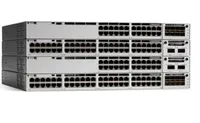
CiscoCisco Catalyst C9300-48P-E network switch Managed L2/L3 Gigabit Ethernet (10/100/1000) Power over Ethernet (PoE) Grey
C9300-48P-E€7,914.75 Unknown
RUCKUS Networks Wireless Ap • Wifi7 • 2x2 • Indoor • R575 • Beamflex
901-R575-WW00€1,086.57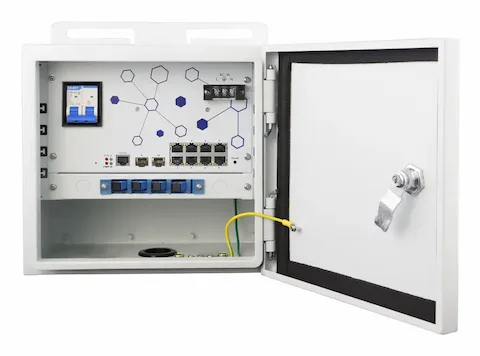 LevelOne
LevelOne OSW-1061 network switch Managed L2 2.5G Ethernet (100/1000/2500) Power over Ethernet (PoE) Black
OSW-1061€720.66 Unknown
Grandstream GWN7673 Wi-Fi 7 Access Point 2x2:2
GWN7673€125.50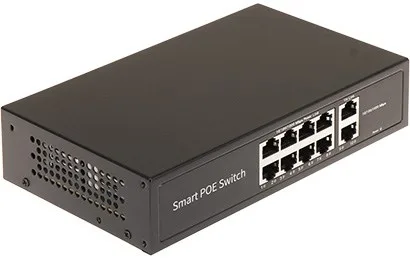 Unknown
Switch POE 8-Port GTX-C1-10-8G2G/X
GTX-C1-10-8G2G/X€48.62 Unknown
Grandstream GWN7672L Wi-Fi 7 Access Point 2x2:2
GWN7672L€169.34